If you send messages through the WhatsApp Business API, Meta’s pricing decides what each one costs, and it has changed a lot in the last two years. Conversations became per-message billing in July 2025. Then on 1 October 2026, replies that used to be free started carrying a charge.
This guide explains how WhatsApp Business API pricing works today, what changed this month, what typical messages cost in a few key markets, and how to keep your bill predictable. It’s written for businesses running their own WhatsApp and for agencies that need to price WhatsApp services for clients.
The short version
- Meta charges per delivered message, not per conversation.
- The price depends on the message category (marketing, utility, authentication or service) and the country code of the person receiving it.
- Marketing messages are the most expensive in every market.
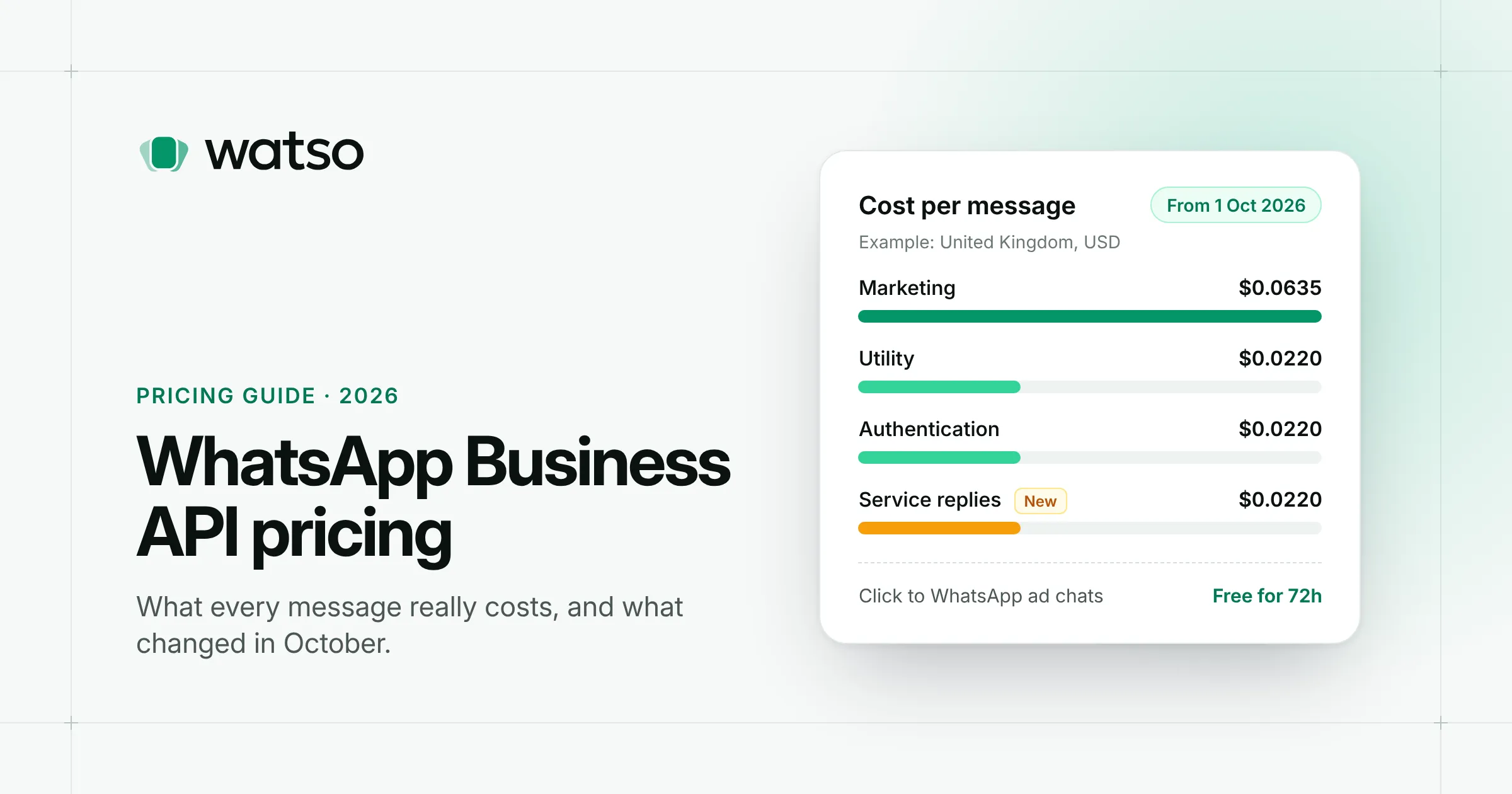
- Since 1 October 2026, service replies and utility messages inside the 24-hour window are charged too, at the same rate as utility messages.
- Conversations that start from a Click to WhatsApp ad or a Facebook Page button stay free for 72 hours.
- Your WhatsApp platform or Business Solution Provider (BSP) may add its own fee on top of Meta’s rate.
How WhatsApp API pricing works
Per-message billing
Until mid-2025, Meta billed for 24-hour “conversations”. Since 1 July 2025 it bills each delivered message instead. Only delivered messages count. A message that fails or never reaches the phone isn’t charged.
The four message categories
Every message you send falls into a category, and the category sets the price.
| Category | What it’s for | Examples |
|---|---|---|
| Marketing | Promotions, offers, announcements, re-engagement | “20% off this weekend”, a new product launch, an abandoned-cart reminder |
| Utility | Updates about something the customer already did or asked for | Order confirmations, delivery updates, appointment reminders, payment receipts |
| Authentication | One-time passcodes | Login codes, account verification |
| Service | Free-form replies inside the 24-hour customer service window | Answering a question in your inbox |
Marketing, utility and authentication messages are template messages. You submit the wording to Meta for approval before you can send it, and Meta assigns or checks the category. If you write a promotion and label it as utility, Meta will recategorise it as marketing and charge the marketing rate.
The 24-hour customer service window
When a customer messages you, a 24-hour customer service window opens, and it resets every time they send another message. Inside the window you can reply with normal free-form messages: text, images, documents and so on. Outside it, you can only send approved templates.
The window still controls what you can send. Since October 2026, it no longer makes replies free.
The free entry point window
Conversations that start from a Click to WhatsApp ad or a call-to-action button on a Facebook Page get a 72-hour free entry point window. Every message you send in those 72 hours is free, templates included. If you run ads, this is the cheapest way to start conversations on WhatsApp.
What changed on 1 October 2026
Two kinds of message that had been free now cost money:
- Service messages. Free-form replies inside the 24-hour window were free from November 2024. From 1 October 2026 they’re charged per message, at the same rate as utility and authentication messages in the customer’s country.
- Utility messages inside the window. Utility templates sent inside an open customer service window were free from July 2025. They’re now charged at the utility rate.
Meta’s partners report that each business phone number gets 1,000 free service messages a month, and charging starts at the 1,001st delivered message. The allowance doesn’t roll over. Check your own invoice or your provider for how it applies to you.
Meta also needs a payment method on file for service messages to keep being delivered, so if you send through a provider, confirm your billing is set up.
What this means in practice: teams that run support on WhatsApp now pay for replies at scale. A shop answering a few hundred questions a month won’t notice. A support team handling tens of thousands of chats will see it on the invoice, especially in higher-priced markets like Germany or the UK.
What a WhatsApp message costs: example rates
Meta publishes rate cards per currency and per recipient country. These are the USD rates per delivered message effective 1 October 2026 for a few common markets. Utility, authentication and service share one rate in each market.
| Recipient market | Marketing | Utility, authentication and service |
|---|---|---|
| North America | $0.0250 | $0.0034 |
| United Kingdom | $0.0635 | $0.0220 |
| Germany | $0.1365 | $0.0550 |
| Brazil | $0.0625 | $0.0068 |
| India | $0.0118 | $0.0014 |
A few things to notice:
- The recipient’s country sets the price, not where your business is. A UK shop messaging customers in India pays Indian rates.
- Marketing costs several times more than utility, from about 2.5× in Germany to over 8× in India.
- Western Europe is expensive. A 10,000-person marketing broadcast to German numbers costs around $1,365 in Meta fees alone.
- Meta can only change rates on 1 January, 1 April, 1 July or 1 October, with at least a month’s notice. Check the current rate card on the WhatsApp Business pricing page before you budget.
Volume discounts
Utility and authentication messages get cheaper as your monthly volume grows in a market. The tiers count messages across your whole business portfolio and reset every month. Marketing and service messages have no volume tiers.
A note on the United States
Since April 2025, Meta has paused delivery of marketing templates to WhatsApp users with US (+1) phone numbers. Utility, authentication and service messages still go through. If your audience is mostly in the US, plan around utility messages and conversations customers start.
Working out your monthly cost
Estimate each category separately, then add them up:
(Marketing messages × marketing rate) + (utility and authentication messages × utility rate) + (service replies above your free allowance × utility rate)
Say you’re a UK business that sends one 2,000-person marketing broadcast a month, 3,000 order and delivery updates, and 4,000 support replies:
- Marketing: 2,000 × $0.0635 = $127.00
- Utility: 3,000 × $0.0220 = $66.00
- Service: (4,000 − 1,000 free) × $0.0220 = $66.00
- Total: about $259 a month in Meta fees, before any volume discount or platform fee.
Seven ways to keep your WhatsApp bill down
- Get the category right. Keep order, delivery and appointment templates strictly transactional so they’re approved as utility. One promotional line can tip them into marketing.
- Send marketing to segments, not everyone. A message to 500 interested customers usually beats one to 5,000 people who’ll ignore it, and costs a tenth as much.
- Use Click to WhatsApp ads when you’re acquiring customers. The 72-hour free window covers your whole follow-up.
- Answer in fewer, better messages. Since service replies are now charged, one complete answer is cheaper than three short ones.
- Remove people who opt out. Customers can tap “Stop promotions” on marketing messages. Meta won’t deliver to them, and your audience should leave them out from the start.
- Watch high-cost markets. If you message customers in several countries, check where your marketing spend actually goes.
- Compare what platforms add. Some providers mark up Meta’s rates or charge per message. Others charge a flat subscription and pass Meta’s fees through at cost.
Frequently asked questions
Is the WhatsApp Business API free?
No. The API itself has no access fee, but Meta charges per delivered message, with rates set by category and country. The exceptions are messages in the 72-hour free entry point window and, per Meta’s partners, the first 1,000 service messages per phone number each month.
Is the WhatsApp Business app free?
Yes. The WhatsApp Business app on your phone is free, but it’s built for one person or a small team. It limits broadcasts to 256 contacts per list, only delivers them to people who’ve saved your number, and has no proper shared inbox or automation. Most businesses move to the API once they outgrow those limits.
Who pays: the business or the customer?
The business. Customers never pay to receive or send WhatsApp messages.
Do I pay for messages customers send me?
No. Incoming messages are free. You pay for what you send.
How do I know which category Meta charged me for?
Meta reports the pricing category for every message in its webhooks and in Pricing Analytics in WhatsApp Manager. A good WhatsApp platform shows you this per broadcast.
Running WhatsApp for your business or your clients? Watso connects to Meta’s official WhatsApp Cloud API and gives your team a shared inbox, approved templates, contact segments and scheduled broadcasts, with marketing opt-outs handled automatically. Try the live demo or get started.