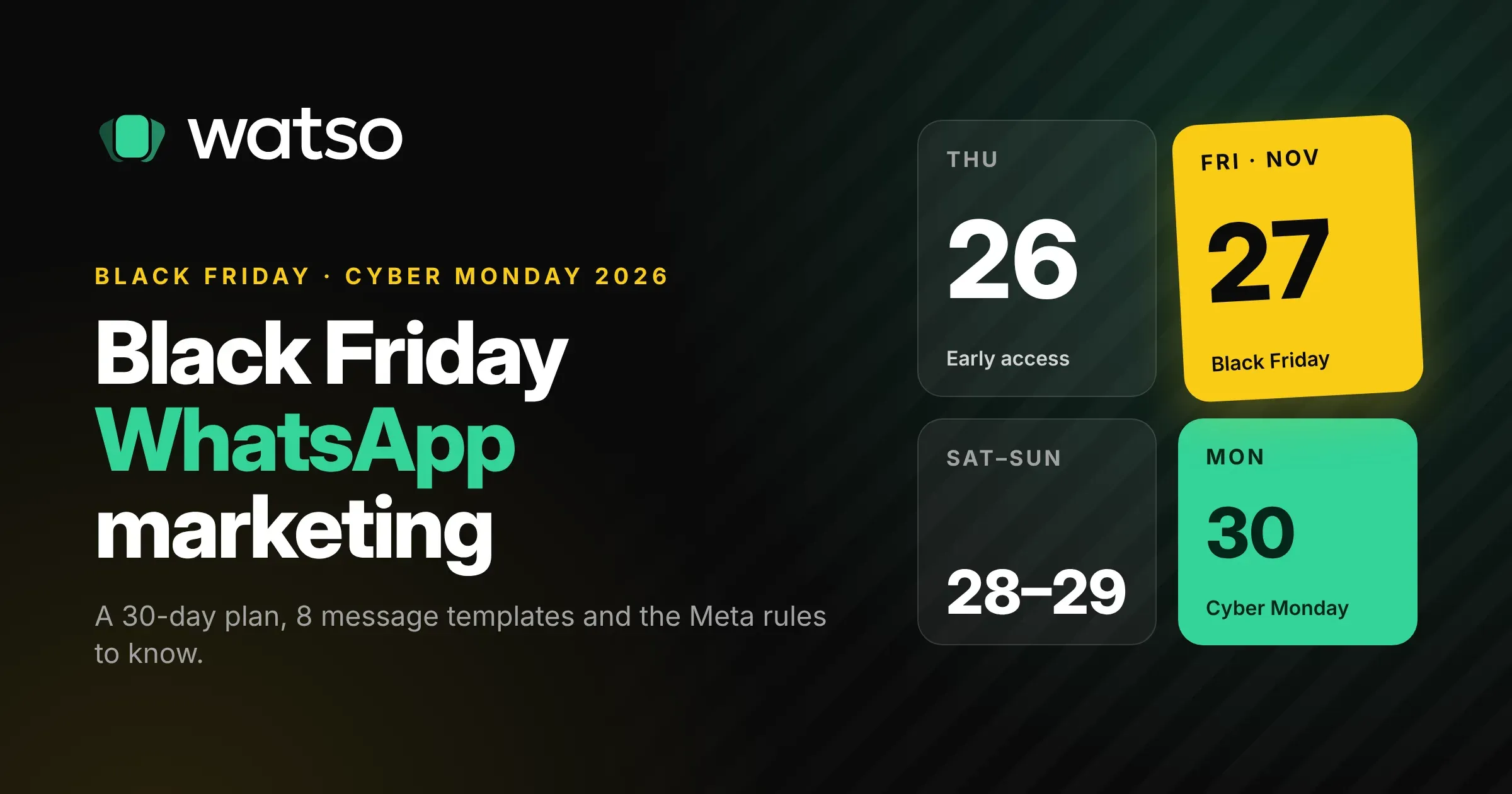
Black Friday is on Friday 27 November 2026, and Cyber Monday follows on 30 November. For four days, every brand you’ve ever bought from will be in your customers’ inboxes. Email gets buried. Social posts scroll past. WhatsApp is one of the few places where a message still lands next to texts from friends and family, which is why so many businesses now plan their Black Friday around it.
It’s also where a rushed campaign goes wrong fastest. A new WhatsApp account can only message 250 people a day. Templates can take a day to approve. Meta quietly drops marketing messages to people who already get too many. And since 1 October 2026, the flood of customer replies that follows a big sale is no longer free.
This guide gives you a plan you can start today: what to do each week before Black Friday, what to send on the day, eight message templates you can adapt and submit, and the rules that decide whether your messages actually arrive.
Why WhatsApp works on Black Friday
Black Friday shoppers act on impulse and on timing. They want to know the moment a sale starts, when stock is running low and when the deal ends. WhatsApp suits that well:
- Messages get seen quickly. People check WhatsApp all day, so a 9am launch message is read in the morning, not at the end of the week.
- Customers can reply. “Does this come in blue?” or “Will it arrive before the 5th?” gets answered in the same chat, which is where many sales are won or lost.
- Buttons do the work. A template can carry a “Shop the sale” link button or a “Remind me” quick reply, so customers act in one tap.
The catch is that WhatsApp is a permission channel. You can only send marketing to people who opted in, and Meta watches how people react to your messages. A Black Friday campaign that annoys people can lower your quality rating and slow you down for the rest of the season.
What’s different for Black Friday 2026
Most Black Friday WhatsApp guides were written before this year’s changes. Five of Meta’s current rules shape what you can do.
1. Messaging limits are set for your whole business, and new accounts start at 250
Meta limits how many different people you can start conversations with in a rolling 24 hours. New business portfolios start at 250. The limit then rises to 2,000, 10,000, 100,000 and unlimited. The limit is shared across every phone number in your business portfolio, so adding a second number doesn’t double it.
To get to 2,000, you verify your business or send 2,000 template messages over 30 days. Above that, Meta raises your limit one step at a time, within about six hours, once you’ve used at least half of your current limit in the last 7 days and your quality is high.
What this means for Black Friday: if you have 20,000 opted-in customers but your account is on the 2,000 tier, you can’t reach them all on the day. You need to send real campaigns in the weeks before so the limit climbs in time. Starting in November is late. Starting on Black Friday is too late.
2. Meta caps how much marketing each person receives
WhatsApp limits how many marketing templates a person can receive from all businesses combined, based on how much they’ve engaged recently. If someone has already received a lot of marketing, your message fails with error 131049. Meta doesn’t publish the number.
Black Friday is the week when every business sends more, so expect more of these failures than usual, especially to people who rarely open marketing messages. Two things help:
- Send to engaged people first. Recent buyers and people who replied or clicked in the last few months are far more likely to receive your message.
- Get replies. When a customer replies, a 24-hour customer service window opens, and marketing messages sent inside it don’t count towards the cap. A teaser that asks people to tap “Remind me” opens that window for your launch message.
If a message fails with 131049, Meta says to wait at least 24 hours before trying again. Retrying sooner causes more failures.
3. Template approval can take up to 24 hours
Every message you send first, outside a customer service window, must be an approved template. Most are reviewed within minutes, but Meta allows up to 24 hours, and a rejection plus an appeal can cost you two days. Templates with the same wording as an existing one are rejected as duplicates, and so are templates that start or end with a variable.
Submit every Black Friday template at least a week early.
4. Replies to customers now cost money after the first 1,000
Until October, replying to customers inside the 24-hour window was free. Since 1 October 2026, each business phone number gets 1,000 free service messages a month, and Meta charges from the 1,001st. Utility templates sent inside the window, like order confirmations, are charged again too.
A successful Black Friday broadcast can bring in hundreds of conversations in a day, so budget for replies, not just for the broadcast. Our WhatsApp Business API pricing guide explains each message category and what it costs by country.
5. Marketing messages don’t reach US numbers
WhatsApp currently doesn’t deliver marketing templates to people with US (+1) phone numbers. Utility, authentication and service messages still work. If most of your customers are in the US, use WhatsApp for support, order updates and Click-to-WhatsApp ads (more on those below) rather than broadcasts. If you sell in India, Brazil, Mexico, Indonesia, the Gulf or Europe, broadcasts work as normal.
Your Black Friday WhatsApp plan, week by week
Here’s a timeline for Black Friday on 27 November. If you’re starting late, do the first two weeks together.
| When | What to do |
|---|---|
| Now to 6 November | Grow your opt-in list. Send one normal campaign a week so your messaging limit climbs. |
| 7 to 13 November | Write and submit every template. Plan your segments and your offer. |
| 14 to 19 November | Run Click-to-WhatsApp ads. Set up quick replies and auto-replies for common questions. |
| 20 to 26 November | Send the early access teaser. Brief your team on handling the inbox. |
| 27 November (Black Friday) | Launch, mid-day reminder to engaged contacts, last call in the evening. |
| 28 to 30 November | Weekend offer, then Cyber Monday. |
| 1 to 14 December | Thank you, delivery updates, review requests and a gentle win-back. |
Weeks 1 and 2: grow your list and warm up your number
Your Black Friday results are mostly decided before the sale. Ask for WhatsApp opt-in everywhere customers already are:
- A checkbox at checkout that says exactly what they’ll get, like “Send me order updates and offers on WhatsApp”. Leave it unticked.
- A pop-up offering early access to your Black Friday deals on WhatsApp.
- A QR code or WhatsApp link on receipts, packaging and in your shop.
- An email to your list: “Want Black Friday deals before everyone else? Join us on WhatsApp.”
Then send at least one useful campaign a week to the people who’ve opted in. This does two jobs. It shows you what your audience responds to, and it moves your messaging limit up before you need it. Our guide to sending bulk WhatsApp messages covers opt-in and broadcast rules in more detail.
Week 2: write and submit your templates
Write every template you’ll need, submit them all, and fix rejections while there’s still time. Use the Marketing category for anything promotional. Order confirmations and delivery updates go in Utility, but Meta moves utility templates that contain any promotion into Marketing, so keep those strictly transactional.
Week 3: run Click-to-WhatsApp ads
Ads on Facebook and Instagram that open a WhatsApp chat are the best-kept secret of Black Friday on WhatsApp. When someone messages you from one, a free entry point window opens for up to 7 days, and Meta doesn’t charge for the messages you send in that window. That includes the launch message on Black Friday if they messaged you in the week before.
They also bring you new contacts who chose to talk to you, and they work for US customers too, because the customer starts the conversation.
Week 4: tease the sale
Send one early access message to your full opted-in list a few days before Black Friday. Give people a reason to reply, like a “Remind me” button. Everyone who taps it opens a customer service window and tells you who’s most interested.
Black Friday WhatsApp message templates
Here are eight templates you can adapt. Variables are in double braces, like {{1}}, as WhatsApp uses. Keep messages short, give each one a single clear action and always say who you are.
1. Opt-in welcome (Marketing)
Thanks for joining {{1}} on WhatsApp! 🎉 You’ll be the first to hear about our Black Friday deals, a day before everyone else. Reply STOP anytime to opt out.
2. Early access teaser (Marketing, with a “Remind me” quick reply)
Hi {{1}}, Black Friday starts Friday at 9am, but you can shop it from Thursday evening. Tap below and we’ll send your early access link the moment it opens.
3. Early access launch (Marketing, with a “Shop now” button)
It’s live, {{1}}. Your early access to the {{2}} Black Friday sale is open now, with up to {{3}} off everything. It opens to everyone tomorrow at 9am.
4. Black Friday launch (Marketing, with an image and a “Shop the sale” button)
Black Friday is here at {{1}}. Up to {{2}} off, today only, plus free delivery on orders over {{3}}. Our best sellers go fast, so don’t wait too long.
5. Low stock alert (Marketing, for people who viewed or saved a product)
Hi {{1}}, the {{2}} you looked at is down to its last few in your size. It’s still {{3}} off until midnight.
6. Abandoned cart reminder (Marketing, with a “Finish my order” button)
Hi {{1}}, you left {{2}} in your cart. Your Black Friday price is saved until midnight tonight.
7. Last call (Marketing)
Last chance, {{1}}: our Black Friday prices end at midnight. Anything you order tonight still ships by {{2}}.
8. Cyber Monday (Marketing, with a “Shop Cyber Monday” button)
Missed Black Friday? Our Cyber Monday deals are live at {{1}} until midnight Monday, with an extra {{2}} off everything in the sale.
Don’t send all eight to everyone. Most customers should get two or three marketing messages over the whole weekend. The rest go only to people who showed interest, like those who tapped “Remind me”, opened a cart or replied.
What to send on Black Friday itself
A simple schedule that works for most businesses:
- Early access (Thursday evening): the launch message to everyone who tapped “Remind me”.
- Launch (8am to 10am local time): the Black Friday launch to your engaged segment, then the rest of your list if your messaging limit allows.
- Mid-day: low stock and abandoned cart messages, only to people who viewed or added products.
- Last call (6pm to 8pm): the last call message to people who clicked but didn’t buy.
Send at your customer’s local time. If you sell across several countries, schedule by country. Nobody wants a sale alert at 3am.
Handle the replies
Every broadcast starts conversations, and Black Friday shoppers expect fast answers. Before the day:
- Write quick replies for delivery dates, returns, sizes and how to use discount codes.
- Set an auto-reply that answers the top three questions and says when a person will be back.
- Use a shared inbox so several people can answer from one number without stepping on each other.
- Keep any chatbot about your business. WhatsApp allows AI that helps with orders, products and support, but not general-purpose AI assistants.
Remember that replies beyond 1,000 a month per number are now charged. That’s usually a good trade on Black Friday, since a quick answer often makes the sale, but keep an eye on it.
After the weekend
The weekend after Black Friday is when you keep the customers you just won:
- Order and delivery updates as utility messages. They’re useful, expected and cheaper than marketing in most countries.
- A thank you and review request a few days after delivery.
- A win-back offer in December to people who clicked but didn’t buy. Keep it to one message.
Then look at what happened. Compare delivery, read and click rates for each template, count how many messages failed with 131049, and note which segments bought. That’s your starting point for next year, and for Christmas.
Common mistakes to avoid
- Waiting until November to start. Your messaging limit, opt-in list and templates all need time.
- Sending to people who never opted in. It breaks WhatsApp’s rules and will be reported as spam.
- Using unofficial bulk senders. Tools that automate WhatsApp Web or the regular app get numbers banned, often at the worst moment. Use the official API.
- Messaging everyone four times a day. Blocks and reports lower your quality rating, which can cut your messaging limit in the middle of the sale.
- Retrying failed messages straight away. For error 131049, wait at least 24 hours.
Frequently asked questions
When is Black Friday 2026?
Black Friday is Friday 27 November 2026. Cyber Monday is Monday 30 November 2026.
When should I start preparing my Black Friday WhatsApp campaign?
At least four weeks before, so by the end of October. That gives you time to grow your opt-in list, get templates approved and raise your messaging limit from 250 or 2,000 to the level your list needs.
How many WhatsApp messages should I send over Black Friday?
For most customers, two or three marketing messages across the weekend: a teaser, the launch and a last call. Send more only to people who showed interest by replying, clicking or adding something to their cart.
Can I send Black Friday messages from the WhatsApp Business app?
Yes, but broadcast lists in the app are limited to 256 contacts each and only reach people who saved your number. For a real Black Friday campaign, use the WhatsApp Business API through a platform. Our guide to the best WhatsApp marketing platforms compares the options.
How much does a Black Friday WhatsApp campaign cost?
Meta charges per delivered marketing message, and the price depends on the country you’re sending to. Replies are free up to 1,000 a month per number, then charged. Messages sent within the free window after a Click-to-WhatsApp ad aren’t charged. See our pricing guide for rates by country.
Why did some of my Black Friday messages fail?
The most common reasons are error 131049 (the person has received too much marketing recently), sending to US numbers, reaching your daily messaging limit, or people who opted out of marketing.
Is it legal to send Black Friday promotions on WhatsApp?
Yes, through the official API and with opt-in. Local consent laws, like GDPR in Europe, still apply, so record when and how each person opted in, and make it easy to stop.
Running Black Friday on WhatsApp this year? Watso runs on Meta’s official WhatsApp Cloud API. Build segments from your contacts, schedule broadcasts with approved templates, track every delivery and handle the rush of replies in a shared team inbox. Customers who tap “Stop promotions” are left out of future marketing automatically. Try the live demo or get started.